
GST billing software

GST billing that starts at the bill and ends at the return.

One set of books for the invoice, the ledger and the return. Raise a GST bill at the counter, then export GSTR-1, GSTR-3B, e-Invoice and e-Way Bill files without retyping a single line.

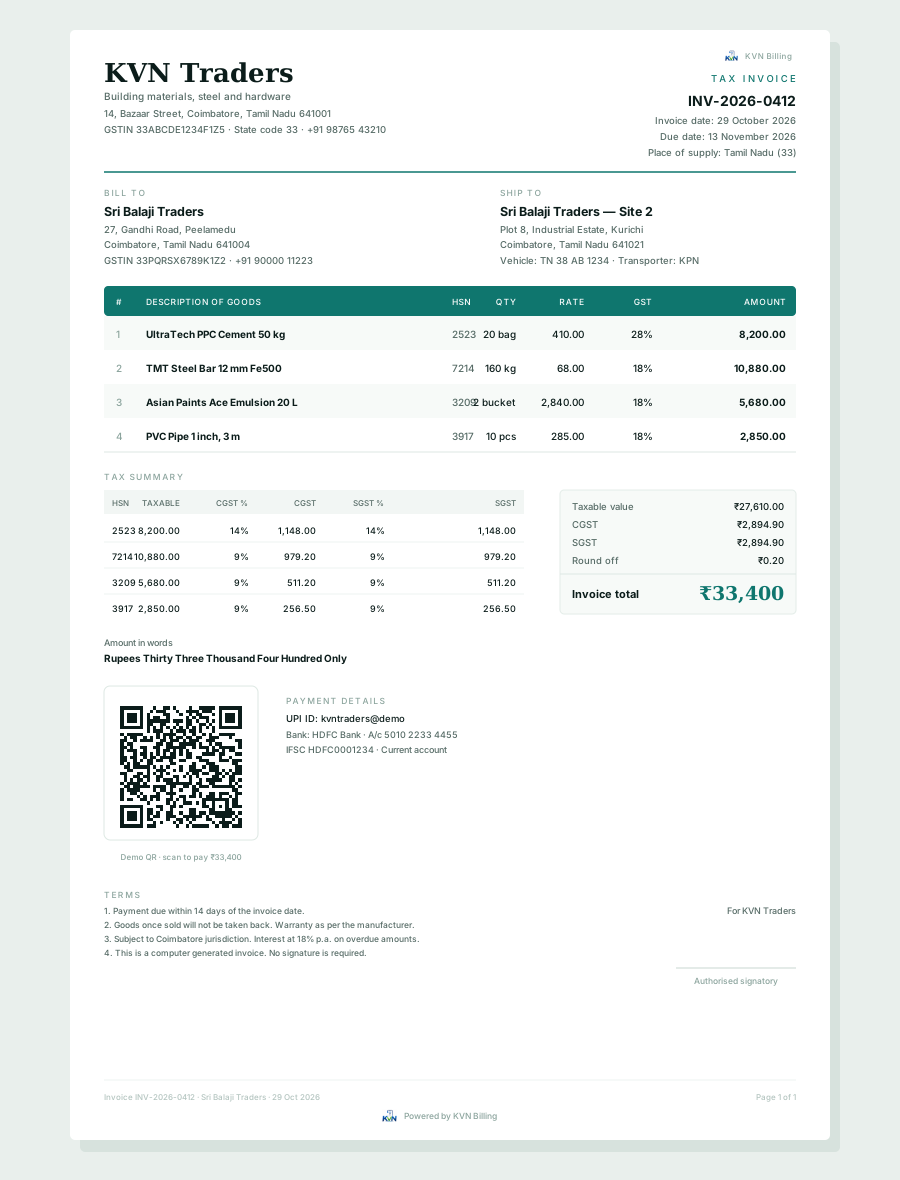
A4 tax invoice
GST tax invoice with HSN codes, CGST and SGST summary, UPI QR and amount in words

The bill

Every document carries the tax correctly.

GST, non-GST and export invoices, with HSN or SAC on every line, tax-inclusive prices if that is how you sell, and round-off handled before it reaches the customer.

  • Ten voucher types, from quotation to debit note
  • Series with prefix, suffix and financial year
  • GSTIN check fills state, PAN and address
  • Four A4 designs in your colour, plus A5 and thermal
  • UPI QR and a no-login invoice link for the customer
More on documents →
GST returns
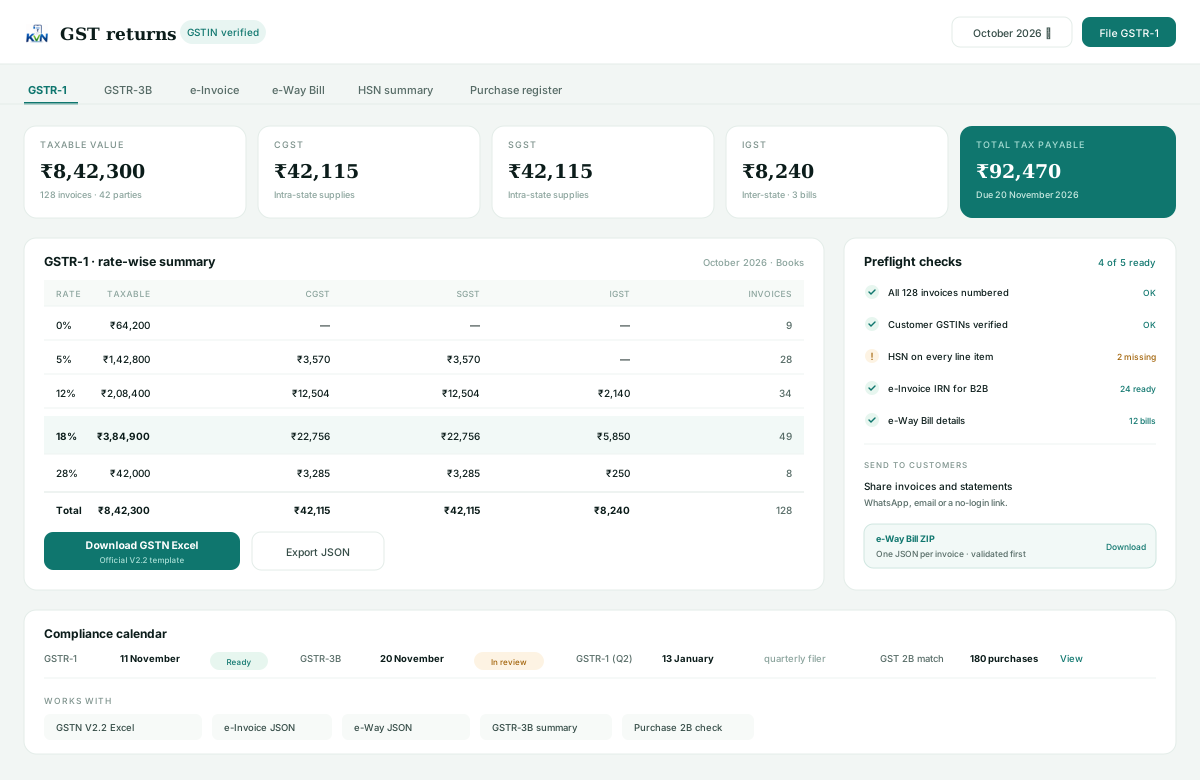
GSTR-1 summary by tax rate with readiness checks and GSTN Excel export

The return

GSTR-1 is a summary, not a second job.

Bills you already raised are grouped by rate and HSN. Export the official GSTN V2.2 workbook, check the 3B summary, and compare purchases with GSTR-2B before you file.

  • GSTR-1 in the official GSTN V2.2 Excel template
  • GSTR-3B summary for the period
  • HSN, rate-wise and purchase register views
  • Preflight checks for GSTIN, HSN and numbering
  • Compliance calendar for the next due dates
More on GST returns →

e-Invoice & e-Way Bill

Switched on by you, checked before export.

Both features are optional and business-specific. Nothing is generated with missing details, and nothing is filed behind your back.

e-Invoice, opt-in

Off for every business until the owner turns it on and confirms the applicability warning. When off, no IRN options appear anywhere.

  • IRN JSON with signed QR
  • IRN, acknowledgement and date printed on the bill
  • Cancel inside the portal window

e-Way Bill, one JSON each

Every selected invoice becomes its own JSON inside one ZIP, so a single bad bill does not poison the batch.

  • Vehicle, transporter and PIN checks
  • Red rows for missing details
  • Bulk and single download blocked until fixed

GSTIN that fills itself

Type a GSTIN once and the legal name, state code and PAN are checked, so the invoice and the return agree.

  • State code from the registration
  • Duplicate GSTIN warning for parties
  • Place of supply on every bill

Questions

GST billing, answered.

More on the FAQ, or ask us directly.

Does KVN Billing upload GST returns to the portal?

It prepares the files and the numbers. You download GSTR-1 in the official GSTN V2.2 Excel, the GSTR-3B summary, and e-Invoice or e-Way Bill JSON, then upload them with your own GST login.

Is e-Invoice switched on for every business?

No. e-Invoice stays off until the owner turns it on and confirms the applicability warning. When off, IRN options are hidden everywhere; e-Way Bill works separately.

What happens if an e-Way Bill has missing details?

The row is marked in red with the missing vehicle, GSTIN, PIN or HSN details, and both single and bulk downloads are blocked until the bill is complete.

Raise one GST invoice and see the return assemble itself.

Start with your own items and GSTIN. The first invoice is the whole demo.