
Scan or type
A scanner acts as a keyboard. Type an item code or use expressions like 3*cement for quantity.
POS billing software
Scan, type, hold, split and print. KVN Billing's POS is built around the keyboard and the scanner you already own, not a new piece of hardware.
Watch a bill being made
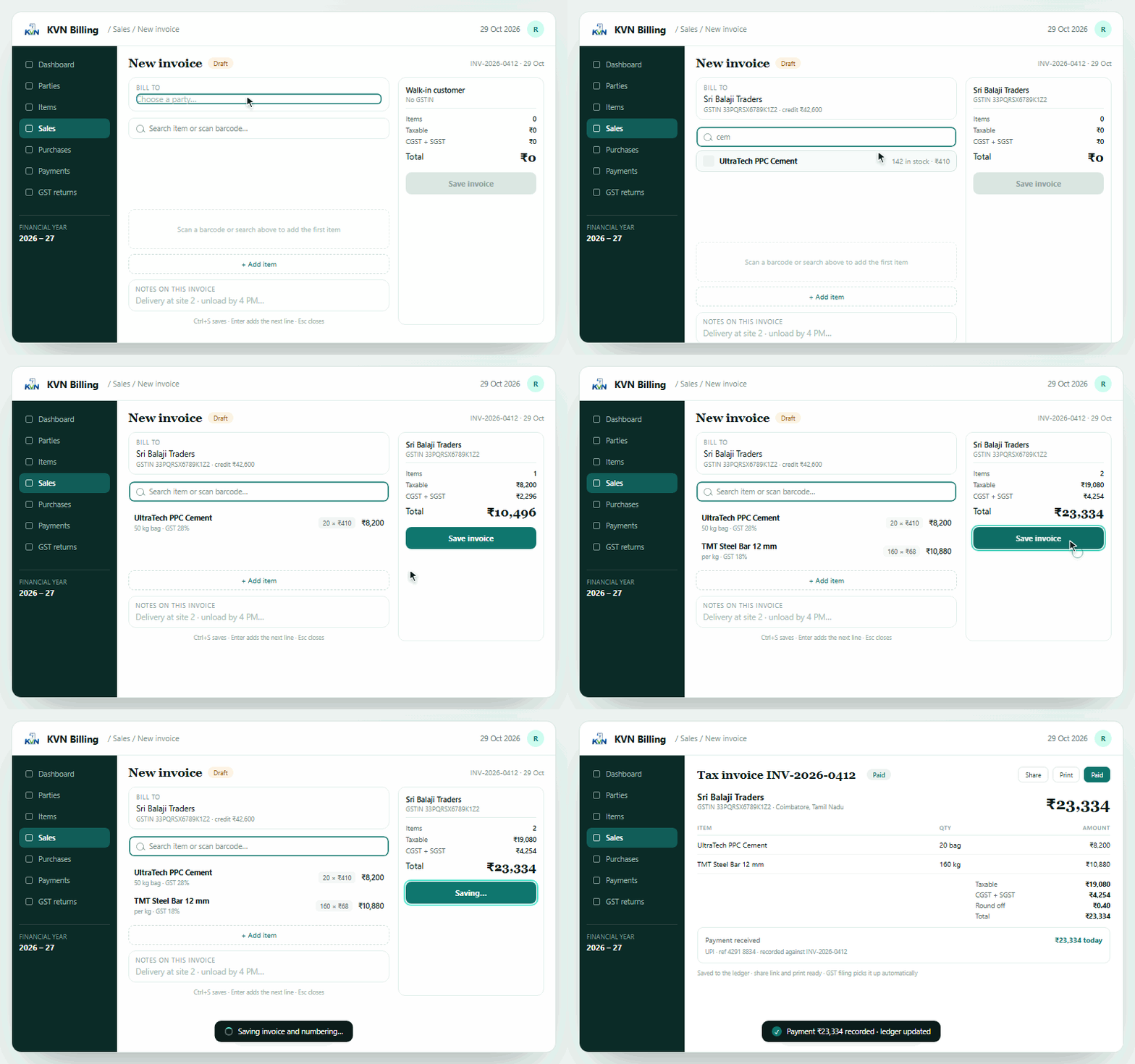
The animation is the real flow: choose the party, scan an item, add a second line, save, then record the payment. Stock and the ledger move with it.
 Invoice, created live
At the counter
A scanner acts as a keyboard. Type an item code or use expressions like 3*cement for quantity.
Keep three or four customers on hold and return to any bill with a shortcut while the queue moves.
Take part cash, part UPI and part card on one bill. The change to return is shown before you charge.
Print labels in your own category format — cement, steel, paint — and scan them back at the counter.
Points earned and redeemed from the same screen, booked as a discount so the GST stays correct.
Every action has a key. Alt+B opens the counter, F2 scans, F4 shows held bills, ? lists the shortcuts.
The screen
Large touch targets when you need them, keyboard when you do not. Stock shows on the tile, so an out-of-stock item is obvious before the customer asks.
POS counter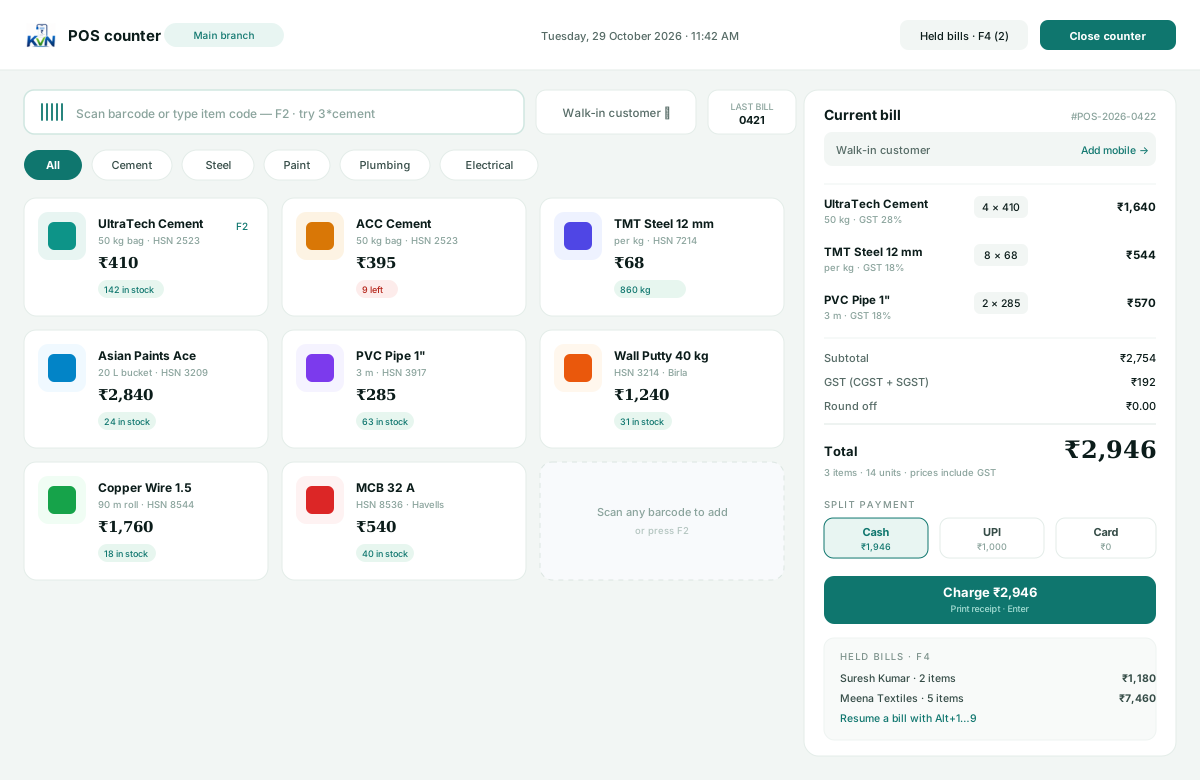
Hardware
No proprietary till, no dongle, no monthly hardware rental. A laptop or Android tablet, a scanner and a printer are enough.
A USB or Bluetooth scanner that types like a keyboard works with no driver or plugin. Point it at the search box and scan.
Thermal 2" and 3" printers, plus A4 and A5. You can also save any bill as a PDF from the print screen.
Yes. Each staff login gets its own counter session, and invoice numbers are handed out by the server so two counters never take the same number.
Yes. The owner ticks exactly which areas a staff login can open; the server checks those permissions on every request.
Add three items, raise a bill, print a slip. The counter is the quickest part to learn.