Inventory software

Stock that matches the shelf, godown by godown.

Batches with expiry, serials for electronics, transfers between godowns and labels that scan back at the counter. The stock ledger is the same ledger your invoices write to.

Inventory · batches
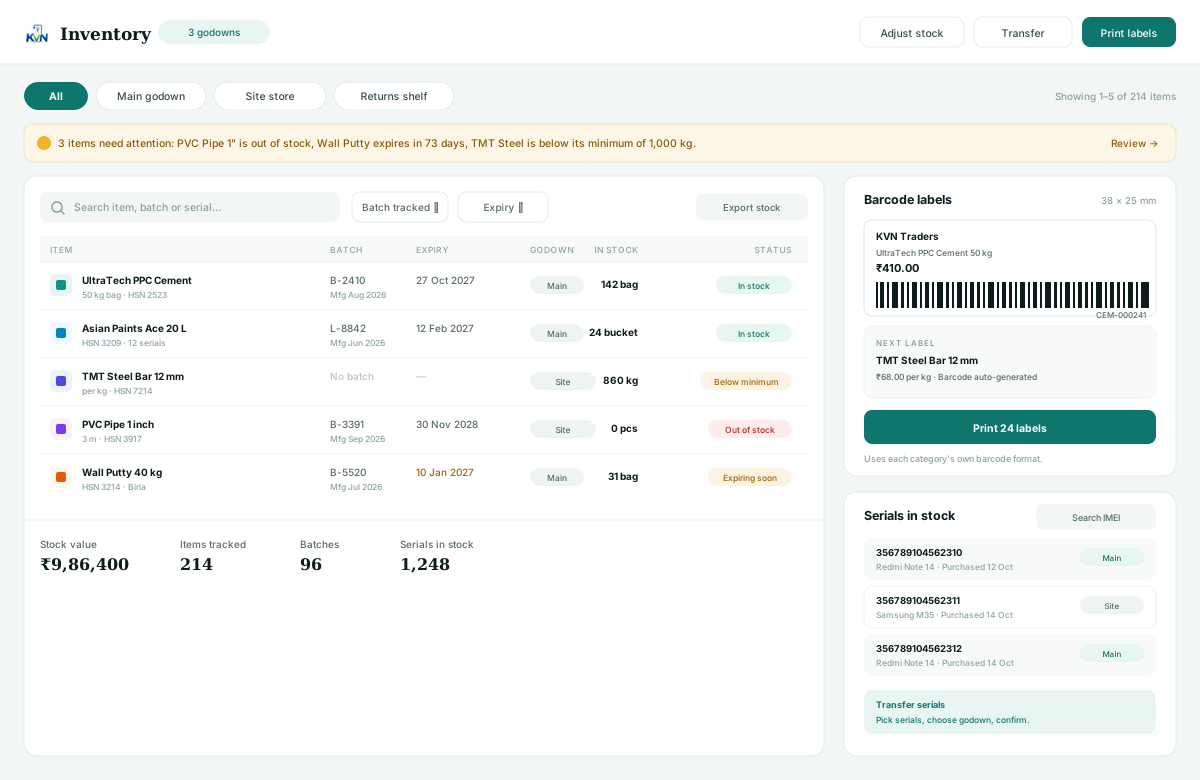
Inventory screen with batches, expiry warnings, godowns, serial numbers and barcode label printing

What is tracked

Three levels of detail, one screen.

Batch & expiry

Every purchase lot keeps its manufacturing date and expiry. The earliest expiry is picked first, and a warning appears before a batch goes stale.

  • Manufacturing and expiry dates per batch
  • Earliest-expiry selling order
  • Expiry warnings on the dashboard

Serial & IMEI

Each unit gets its own number, checked for duplicates on purchase and kept to its godown until it is sold.

  • Unique serials across purchases
  • Scan item code, then each IMEI
  • Serial moves with transfers

Godowns & transfers

Main godown, site store or returns shelf — each has its own balance, and a transfer asks which batch or serial is moving.

  • Per-godown stock and valuation
  • Serials picked for each transfer
  • Adjustments with a reason
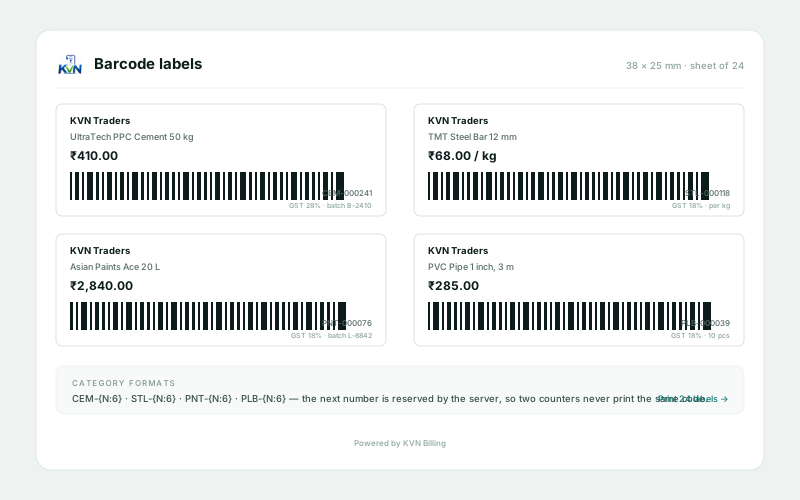
Label sheet
Barcode label sheet with cement, steel, paint and pipe labels and their category codes

Labels & counting

Print the shelf, then scan it back.

Set a barcode format per category — CEM-{N:6} for cement, for example — and every new item or variant gets the next number in that series.

  • 38 × 25 mm label preview before printing
  • Category prefixes with zero-padded numbers
  • Scanned codes open the item instantly
  • Stock check screen shows buy, sell and margin
  • Bulk receive by pasting Excel or CSV lines
More on inventory →

Questions

Batch, serial or plain stock?

Most items need no tracking at all. Turn it on only where it earns its keep.

Should an item use a batch or a serial number?

Use batches when the same item arrives in lots with a manufacturing or expiry date, such as paint, cement or medicine. Use serials when every unit is individually identifiable, such as phones or appliances.

Can I stop staff from selling negative stock?

Yes. The owner controls whether staff can sell below zero. When it is off, the bill is blocked instead of silently going negative; the owner can still override.

Can stock move between godowns?

Yes, with transfers that pick specific batches or serial numbers, so both godowns and the serial history stay accurate.

Does a purchase order have to arrive all at once?

No. Receive part of a purchase order, see ordered, received and billed quantities side by side, and receive the rest later.

Count once, then trust the number.

Add a batch-tracked and a serial-tracked item, receive them and sell one of each.